Showing posts with label AngularJS. Show all posts

Wednesday, 20 January 2016

IONIC WiFi Plugin Example App using Phonegap/Cordova [Cordova WIFI Plugin ]


This is a simple app to implement a Simple WiFi Application with functionality using IONIC Framework on the top of Phonegap/Cordova. This application is designed for Iphone, Android and Windows Phone but can also be deployed as Blackberry Application. I name it as WiFiApp targetting the management of WiFi and their connectivity.

Setting Up the Project

Installation Required:
  • Node JS for NPM Packages
  • Cordova
  • IONIC Framework
  • Android SDK (for the deployment to the Device/Emulator)
  • IOS (you need a MAC for the deployment to the Device/Emulator)
  • And the involvement of Third Party Plugin "WiFi Wizard"

Create Project Directory

Here's a link to the Github Repository WifiApp. You can either download a zip or simply clone it with Git Bash.
git clone https://github.com/DynamicRemo/WifiApp.git

Plugin Installation

cd IonicAppCRUD
After the navigation to the Project Directory, we can run our project with ionic serve command and the output will be displayed in the Browser.
cordova plugin add com.pylonproducts.wifiwizard
Once the plugin is added to our application, we are good to test and deploy.

Platform, Build and Deploy

ionic serve
Or we can have the App View just like the Mock Ups for IOS and Android, its a new cool feature by IONIC.
ionic serve --lab
Moreover, we can add IOS and Android Platform to our Project and can directly deploy to our Device.             
ionic platform add android
ionic platform add ios
ionic run android
ionic run ios

Application Overview

Followings are the different views of Application: Searching for WiFi, Detected WiFi(s) and the success message for the Connection.


For feedbacks and discussion, please leave a comment. Thank You!

Sunday, 27 December 2015

App with CRUD Functionality - User Management using IONIC Framework Phonegap/Cordova [Tutorial/An Overview]


This is a simple app to implement CRUD (Create Read Update Delete) functionality using IONIC Framework on the top of Phonegap/Cordova. This application is designed for Iphone, Android and Windows Phone but can also be deployed as Blackberry Application. I name it as AppCRUD targetting User Management. I have also added some extra perks like visualizing the User Data using Charts.js and Angular Charts.

In this application I have implemented an additional functionality which is Directive. Directives are the part of AngularJS Framework which helps developer to extend the standard functionality. In this application, use of directive is applied to the "Add/Edit User Template" to focus the first Input Element in our View. You can have a look in the "/www/js/directives.js" and yes we have to add this directives.js file to our base html file that is "index.html" as well as to our Module as a Dependency in "app.js" file.


Setting Up the Project

Installation Required:
  • Node JS for NPM Packages
  • Cordova
  • IONIC Framework
  • Android SDK (for the deployment to the Device/Emulator)
  • IOS (you need a MAC for the deployment to the Device/Emulator)

Create Project Directory

Here's a link to the Github Repository IonicAppCRUD. You can either download a zip or simply clone it with Git Bash.
git clone https://github.com/DynamicRemo/IonicAppCRUD.git

Platform, Build and Deploy

cd IonicAppCRUD
After the navigation to the Project Directory, we can run our project with ionic serve command and the output will be displayed in the Browser.
ionic serve
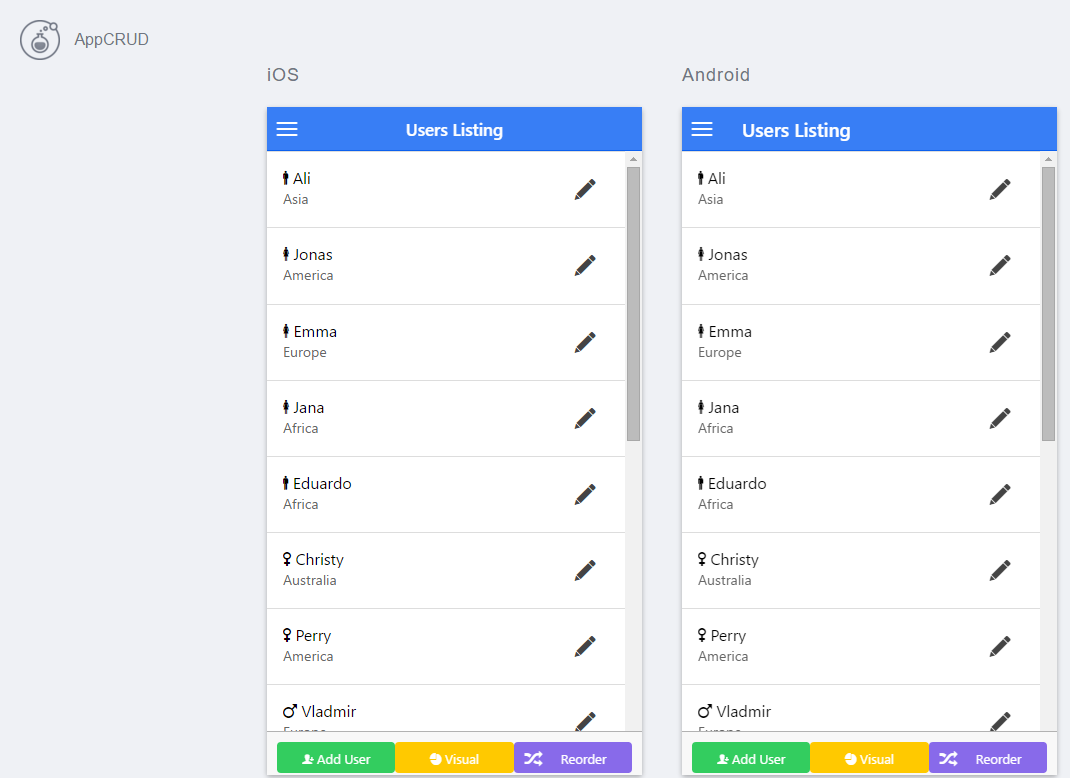
Or we can have the App View just like the Mock Ups for IOS and Android, its a new cool feature by IONIC.
ionic serve --lab
Moreover, we can add IOS and Android Platform to our Project and can directly deploy to our Device.
ionic platform add android
ionic platform add ios
ionic run android
ionic run ios

Application Overview

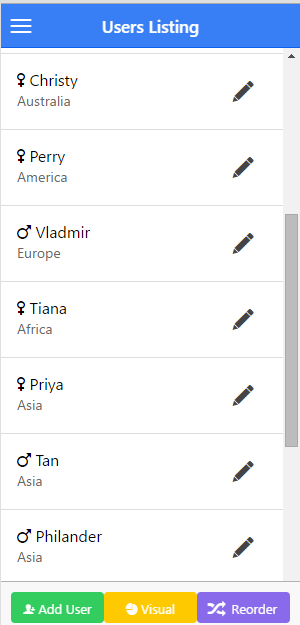
Followings are the different views of Application: User Listing, User Add/Edit, User Delete, Reordering of User Listing and the Visualization of data using Angular Charts.

For feedbacks and discussion, please leave a comment. Thank You!